01Why it works
Why use our AI Infographic Maker?
Data Visualization
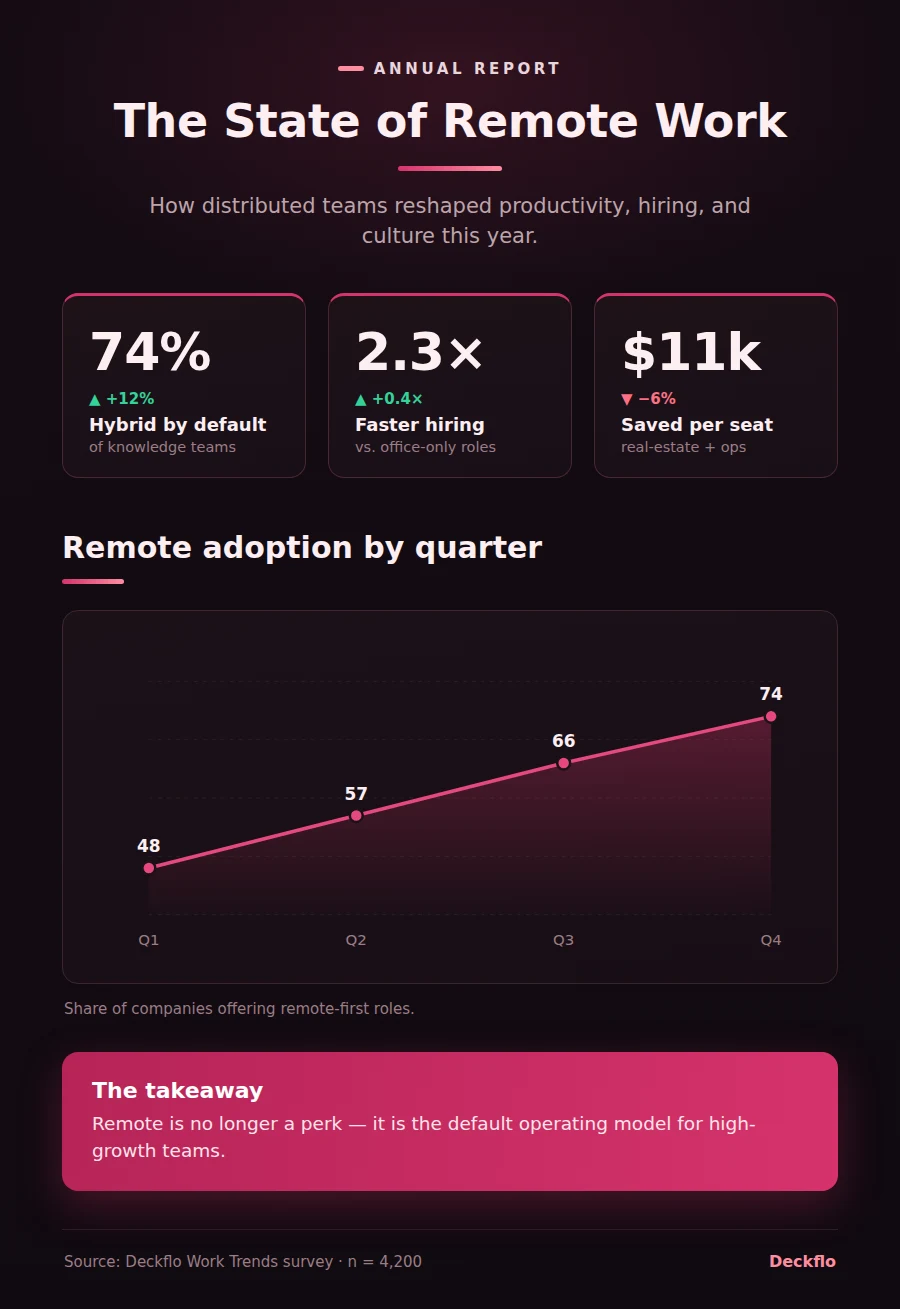
AI transforms your raw data into charts, graphs, and visual elements that tell a compelling story.
Smart Design
Professional color palettes, typography, and layouts are automatically applied based on your content and brand.
Multiple Formats
Create comparison infographics, timeline infographics, statistical, process, and geographic visualizations.
Brand Consistency
Apply your brand kit with custom colors, fonts, and logo for consistent visual identity across all infographics.
CSV/Data Import
Upload CSV files or paste data directly. AI structures and visualizes the data automatically.
High-Res Export
Export in high resolution for print or web. Download as PNG, PDF, or SVG with crisp graphics at any size.
02How it works
Three steps to a finished draft
Input Your Data
Paste your data, upload a CSV, or describe the information you want to visualize.
AI Designs It
Our AI selects the best visualization type and creates a polished infographic with your data.
Customize & Download
Edit colors, text, and layout in the visual editor. Export in your preferred format and resolution.
03FAQ
Frequently asked questions
Yes. Upload a CSV file or paste data directly into the brief, and the AI structures it into charts, stat blocks, and comparisons automatically.